
Record the last update, compare local readings and prepare a clear support request to investigate a missing solar monitoring graph.
Start with the last received reading
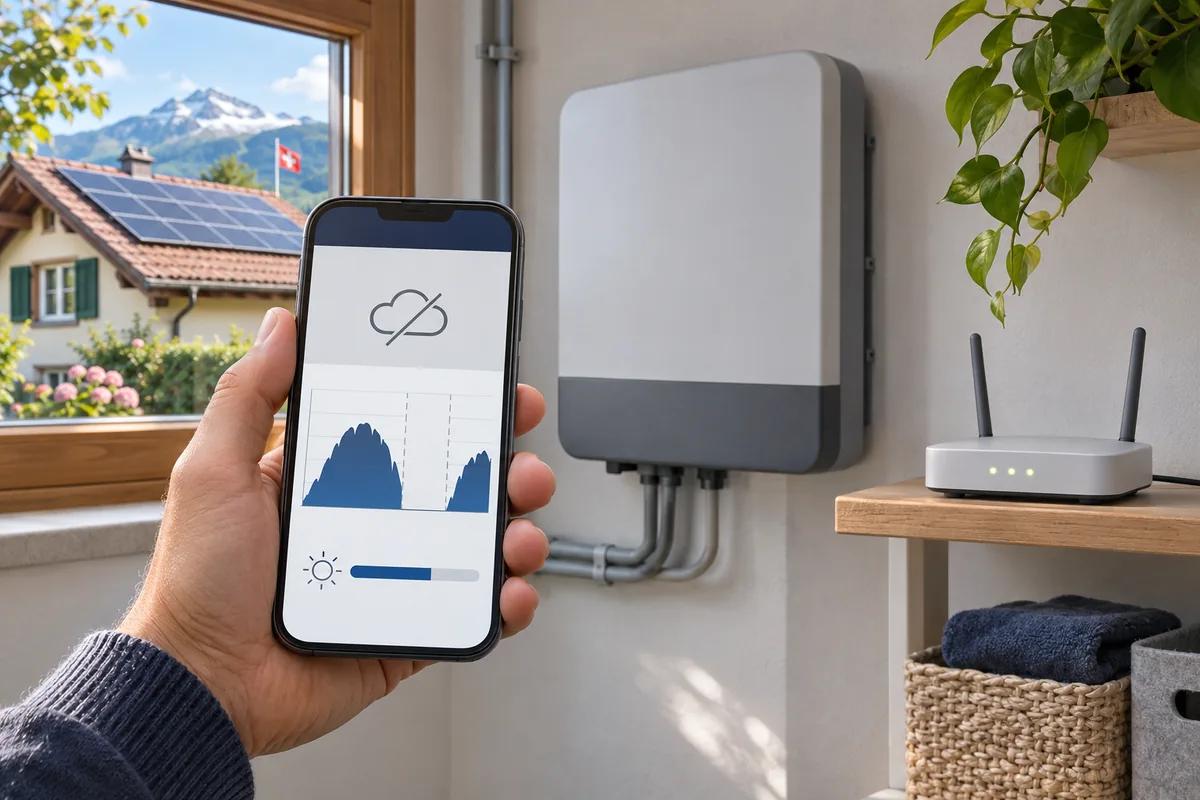
When your solar app shows an empty graph or an offline symbol, record the time of its last successful update before changing anything. Then compare that information with an accessible local display or another measurement your installation already provides. This first check helps you describe whether the missing information concerns the internet connection, the monitoring service or the electrical equipment itself. An app screen alone provides only part of that picture.
Fronius describes interrupted networking, changed router settings and incomplete data transmission among the causes of an offline Solar.web installation. Its official monitoring support also distinguishes current readings from archived data. The exact menus depend on the inverter and monitoring equipment. Use the manual for your model when following a manufacturer procedure, and ask your installer to handle settings outside your normal owner access.
Imagine that you notice a blank section at lunchtime after your internet provider replaced the router. The app last updated at 09:14. Your house still has electricity. Those observations give the installer a much better starting point than a message saying the panels are broken. Keep the exact words shown by the app, the device model and the time you made each observation.
Separate the three paths involved
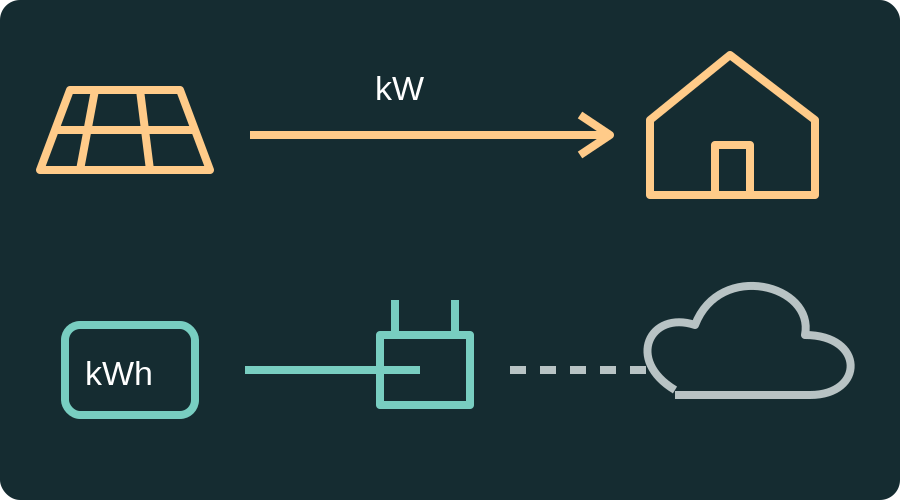
A typical system has an electrical path that converts and distributes solar power, a local measurement path that records equipment or meter readings, and a communication path that sends information to an online service. The details vary across products. Some functions depend on additional meters, gateways, permissions or subscriptions. Draw the arrangement that actually exists in your handover documents, then mark the place where information stops.
For example, an inverter might provide a local production display while a gateway transfers information through the home router. A household consumption graph might depend on a separate meter. If production remains visible and consumption disappears, the missing element deserves a narrower investigation than the whole roof. If both the inverter and its monitoring gateway are inaccessible, report that combination clearly.
Use the guide to installation handover records to locate the device list and monitoring arrangements. The useful diagram names the inverter, any gateway, the measurement devices and the account administrator. A picture of a generic solar system cannot establish which of those parts your own property contains. The documentation should identify them by model and role.
Establish the time and the condition of the observation
Record whether it is daylight, whether the roof is shaded or covered, and whether the app is displaying a live reading, a daily total or a historical view. A zero instantaneous reading at night has a different context from a missing daytime record. Check that the selected installation and date match the property and the period you intend to inspect. Multi site accounts can make this surprisingly easy to miss.
Keep the time zone alongside exported records. A downloaded file can label measurements differently from a phone interface. If a chart seems shifted by an hour, compare the actual timestamps before diagnosing a new equipment problem. The site's guide to repeated meter timestamps explains a specific clock change case. Use a consistent time reference in the notes you send to support.
Take a screenshot showing the last update and the affected chart, with the capture time written in your note. Preserve a second image of the relevant message if the interface separates status from measurements. Crop personal identifiers when they are unnecessary for the service request. The original file can stay in your private folder for the professional handling your case.
Check the ordinary home internet connection
Use your phone or computer to check whether the home network reaches an ordinary website. Record whether the device is using domestic Wi Fi or mobile data. A phone that silently switches to cellular service can hide a household connection problem. If several connected devices lose internet access together, include that observation when contacting the provider or installer.
Review recent changes. A router replacement, network name change, new password, altered guest network or relocated access point can affect the route used by monitoring equipment. Record when the change occurred and when data stopped arriving. The comparison can identify a plausible cause without exposing the actual password in a support message. The manufacturer can then direct you to the model specific reconnection procedure.
Keep changes proportionate to your role and the documentation. Reading router status, identifying the network name and following a supported owner reconnection guide can be appropriate. Electrical isolation, opening equipment or altering installer parameters belongs with the authorised professional and the applicable procedure. If a manufacturer suggests a restart involving batteries or AC and DC equipment, ask the installer which steps apply to your complete configuration.
Read local evidence in the units it actually uses
If the manufacturer provides an owner accessible local display, note its operating message and the units next to any reading. Kilowatts describe power at a moment. Kilowatt hours describe accumulated energy over a period. An energy counter can continue to show yesterday's total while the instantaneous value changes with sunshine. Write down what the display actually labels rather than guessing the meaning of a number.
Consider a purely illustrative observation. A cumulative production counter reads 12 345.6 kWh at 11:00 and 12 347.1 kWh at 11:30. The difference is 1.5 kWh over half an hour, corresponding to an average of 3 kW during that interval. That arithmetic helps interpret those two readings. It does not establish the accuracy of the counter or describe the rest of the day.
Repeat observations only where they are accessible through the normal owner interface. Note cloud cover or a major household event between them. A charging car, water heater or battery can affect flows at the grid meter while the roof continues producing. Our guide to fifteen minute meter data explains why production, household use, imports and exports answer different questions.
Interpret the grid meter carefully
An increase in the export register describes energy passing from the property towards the network under that meter's defined arrangement. The meaning of its registers should come from the operator's instructions. Solar production used inside the building may never appear as an export. Storage can introduce another flow. Request the measurement diagram if the relationship between devices is unclear.
Suppose the inverter shows 2 kW while the house uses approximately 2 kW. A near zero export value is compatible with those illustrative simultaneous conditions. If the house then uses more than the roof produces, imports can appear as well. A single register reading cannot allocate every internal flow. Give the installer the times and the measurement sources needed to interpret the observation.
Avoid filling missing app intervals with invented zeros in your spreadsheet. Keep an explicit missing value and a comment describing the interruption. If archive data returns later, reconcile the timestamps and units before combining it with an earlier export. This preserves the difference between an observed zero and an unavailable measurement, which matters when comparing bills or investigating a warranty complaint.
Examine account access and chart selection
Check whether another authorised owner can see the same missing information, and whether the manufacturer's website and mobile app show the same period. Record the account role without sharing passwords. In Fronius systems, owner, supervisor and guest permissions can expose different settings and device details, as described in the official Solar.web account documentation. A change of access should be coordinated with the actual system owner.
If the property has recently changed hands, locate the monitoring transfer record in the sale or handover folder. The installer may still administer a system while the new resident has limited viewing access. Resolve account ownership through the provider's normal process. Creating duplicate systems or deleting the existing account can complicate the history that support needs to examine.
A missing consumption graph can also deserve a check of the selected components and available measurement devices. Fronius lists hidden components and archive transmission settings among relevant causes. Ask which measurements were included in the original commissioning. An interface may offer a chart whose underlying meter was never installed. The contractor should be able to connect each promised feature to an actual component.
Describe the pattern before estimating any loss
Write down whether the interruption affects live data only, archived data only, one inverter, one meter or every device. Identify the earliest missing timestamp and the most recent successful reading. Record whether the pattern is continuous, intermittent or associated with a particular time of day. A precise description helps support decide which log or device to inspect first.
For a missing two hour chart, an expected production figure from another sunny day remains a comparison assumption. Weather, shading, equipment limits and household configuration can differ. If you estimate a possible effect for discussion, label the estimate and keep the original evidence alongside it. A compensation request should distinguish measured energy, reconstructed records and an uncertain forecast.
Our after sales and monitoring guide explains why response responsibilities belong in the service agreement. Check whether the installer monitors alerts proactively, whether a visit is chargeable and who can contact the manufacturer. Those details can matter more to the next step than a generic percentage for an assumed production loss.
Make your observation sheet easy for another person to read
Prepare a small worksheet with columns for observation time, measurement source, displayed timestamp, operating message, value and unit. Add a comment column for weather or a recent network change. Put an explicit missing entry where a value is unavailable. This gives the technician a consistent sequence, even if screenshots come from different devices or members of the household.
For a hypothetical Monday, record the provider's router replacement at 08:45, the last cloud sample at 09:14 and a normal owner display reading at 12:00. If another authorised user sees the same frozen timestamp at 12:10, include that observation too. The sequence helps distinguish events that preceded the interruption from actions taken afterwards. Preserve approximate times as approximate, because invented precision makes the account harder to assess.
Use filenames that identify the installation, date and type of evidence in a way the service team understands. A short list of attachments might include the status screenshot, device inventory and a measurement export for the affected morning. Remove unrelated invoices or images from that bundle. Ask whether the recipient prefers the original file format, a screenshot or a particular diagnostic export before spending time reformatting everything.
Keep one person responsible for communicating with support. If a resident, property manager and electrician each open a separate ticket, link the reference numbers and agree who consolidates the answer. A shared building can involve a common router in a locked technical room that the occupier cannot administer. Identify the authorised caretaker and arrange access through the usual building procedure.
The same worksheet helps when you change service provider. Retain the diagnosis, agreed remedy and final verification rather than recording only that an appointment occurred. If support recommends a network improvement, ask for the affected device, the reason and the expected observation after installation. A homeowner can then evaluate the outcome using the same readings and period used to describe the original problem.
Send a concise, reproducible support request
Include the property identifier used by the installer, equipment models, the exact status message and a short timeline. Describe recent network work, the app's last update and any local readings available through the approved owner interface. Attach screenshots for the relevant period and identify which account role you used. Send the material through the service channel in your contract or the manufacturer's official support route.
Ask the recipient to confirm whether they need a communications check, measurement check or electrical inspection. Agree the next action and its expected response time. If a visit is proposed, request its scope, charging basis and the records to be provided afterwards. Keep access credentials within the provider's approved process and share only the information required for the diagnosis.
Where equipment shows a fault code, report the code exactly and follow the applicable manual. If the installation presents an immediate physical hazard, use the appropriate local emergency response and keep clear of the equipment. Ordinary app troubleshooting can wait until the situation is safe. The observation log remains useful to the professional who subsequently evaluates the installation.
Verify recovery over the affected period
When monitoring reconnects, check the time of the newest reading and examine the earlier gap separately. A restored live value does not establish whether historical records were recovered. Export the relevant period again if that function is available, preserve the earlier file and compare the timestamps. Ask support whether the devices involved buffer data and what recovery to expect for your models.
Close the case with a dated note describing the identified cause, the change performed and the evidence of recovery. Record who carried out the work and any settings that the installer says should be preserved. Save the applicable owner guide beside the device list. If the problem recurs after the next router change, that record offers a much more useful starting point than repeating every initial check.
For future service comparisons, ask how monitoring continuity is handled when the internet provider, account owner or installer changes. Clarify exports, local access and support responsibilities while the system is operating normally. Those questions help a homeowner preserve usable evidence throughout the installation's life and make the next offline message easier to investigate.
Sources
If monitoring works but measured energy has fallen, compare lower output with irradiation and hourly profiles before sending your records. Before using a forecast as a baseline, understand your simulation results.